If you don’t see your question listed, feel free to contact us — we’re always happy to help!
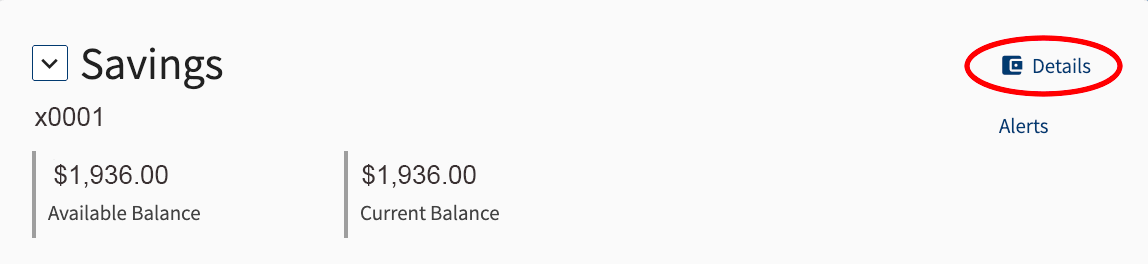
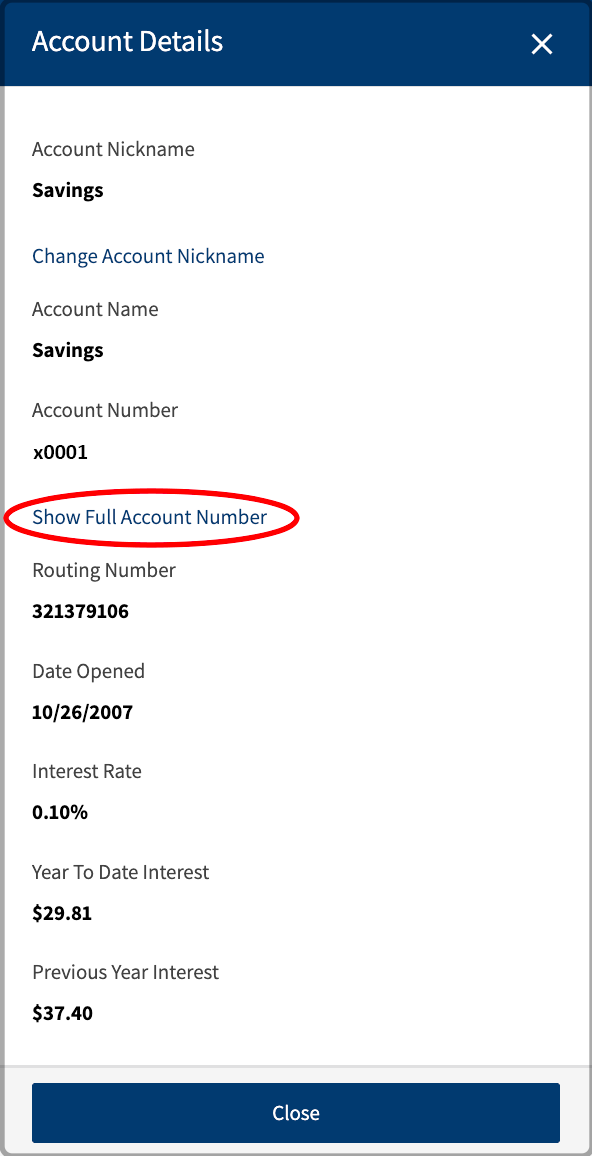
For members enrolled in online or mobile banking, to view your full account number:
For members without online or mobile banking, please visit a branch to speak to a representative.
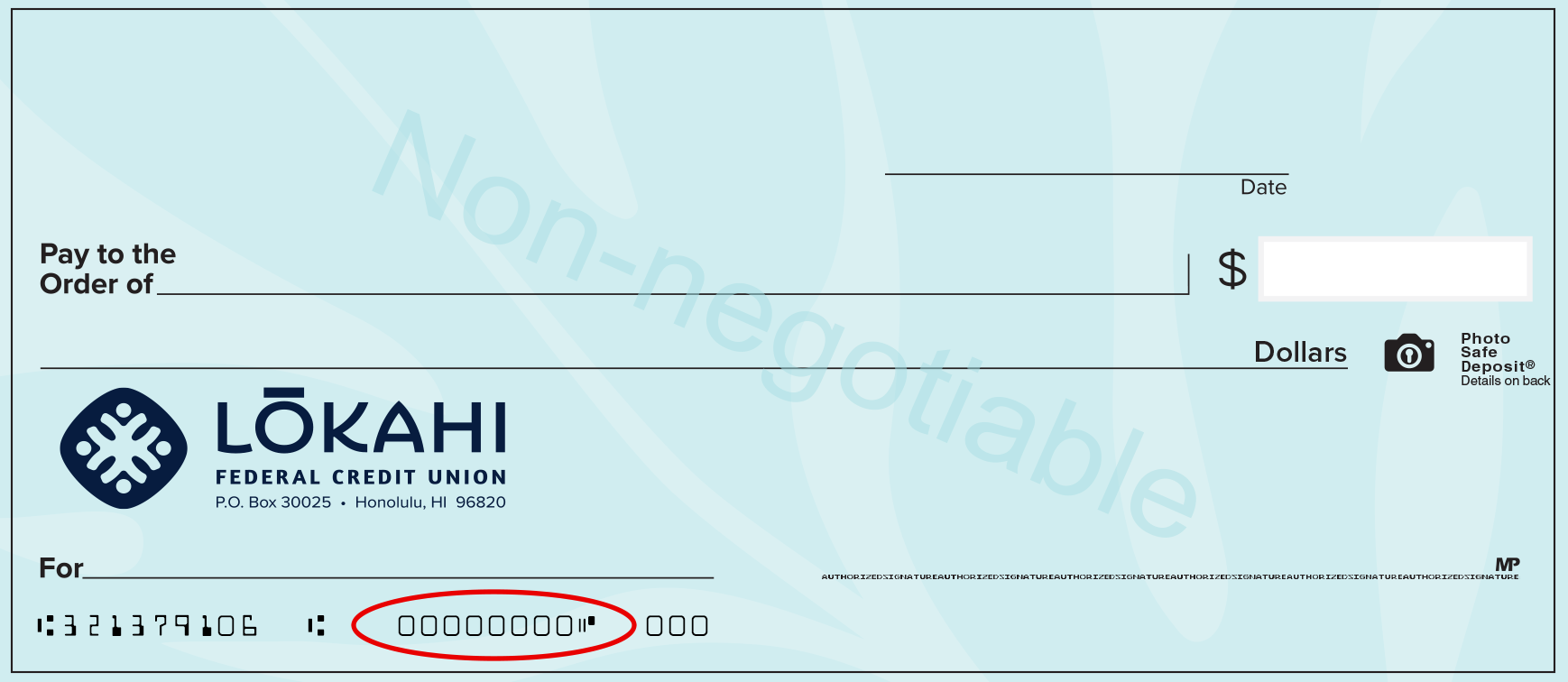
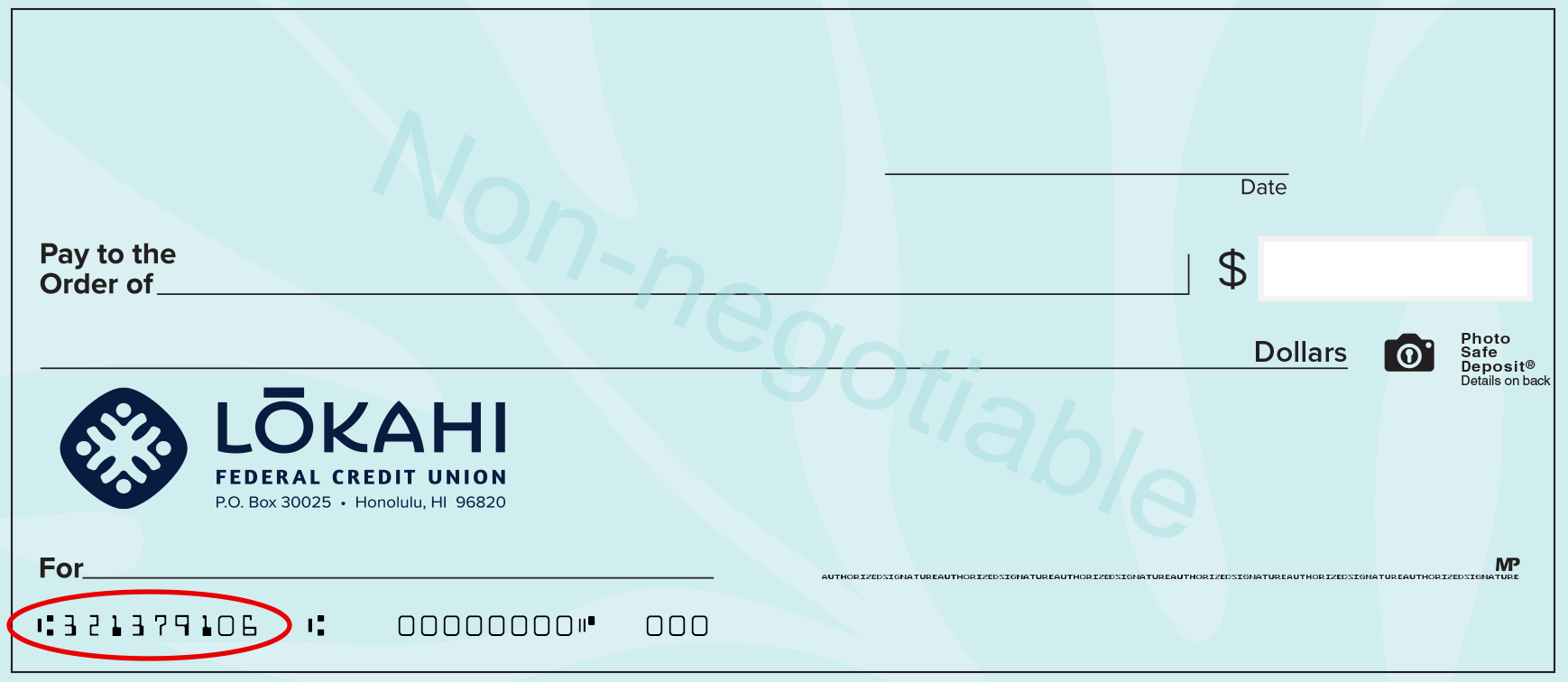
If you have personal checks, the account number can be found on the bottom of your check.
The Lōkahi FCU routing number is 321379106.
The routing number can also be found on the bottom of your online or mobile banking account, on the bottom of our website home page, or on the lower left side of your personal checks.
For members on Oʻahu, visit any branch to speak to a representative.
For members who are off island, contact us at 808.423.1391 or toll-free at 800.432.4328.
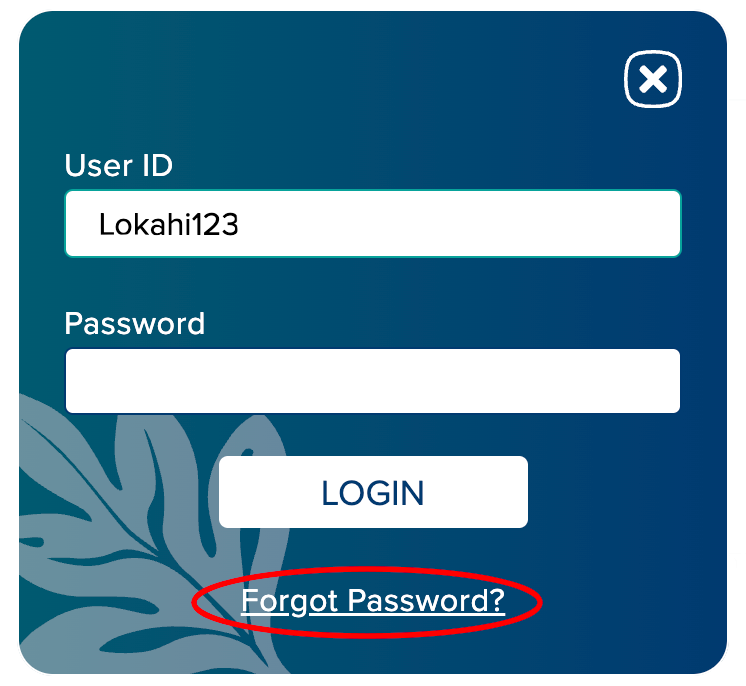
If you forgot your password or want to reset your password:
There are a number of ways you can order checks:
For online banking users:

If you do not have online banking:
*Prices vary depending on check style.
To obtain a Cashiers Check, visit any branch to speak to a representative.
For members, one (1) Cashier’s Check free per day. For additional Cashier's Checks, please refer to our Fee Schedule.
To ensure a notary is available, we recommend scheduling an appointment by calling 808.423.1391 or toll-free at
800.432.4328.
For Lōkahi FCU members, first two (2) documents are free per day.
For additional documents and for non-members, please refer to our Fee Schedule.
Keeping your address up to date is essential to ensure you receive Lōkahi FCU communications, notifications, and financial statements promptly.
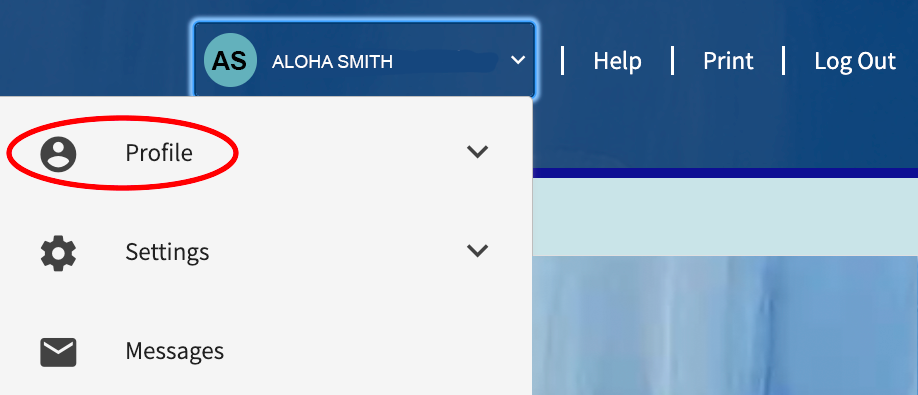
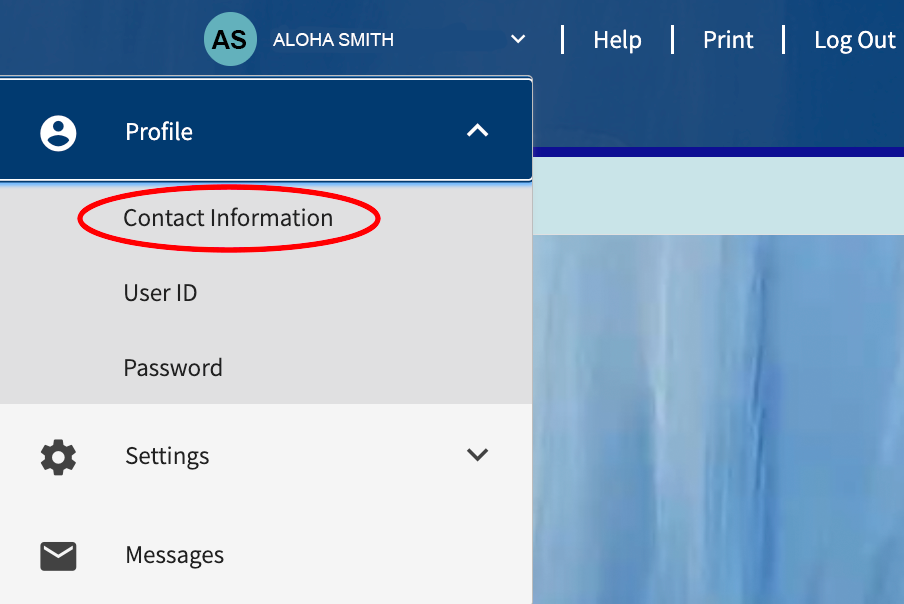
You can conveniently update your contact information, such as address, phone number, and email, through Lōkahi FCU Online Banking or the Mobile App.
For Online Banking users:
For Mobile App users:
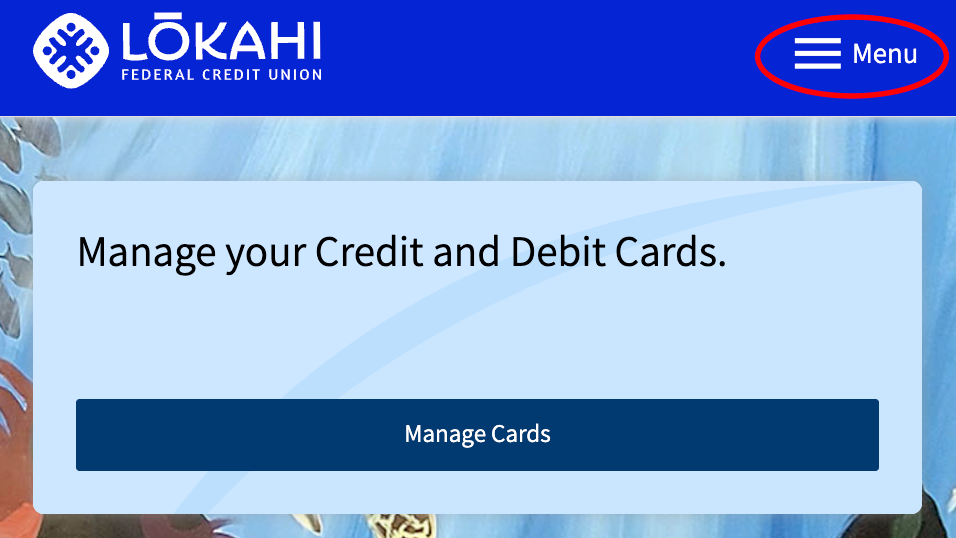
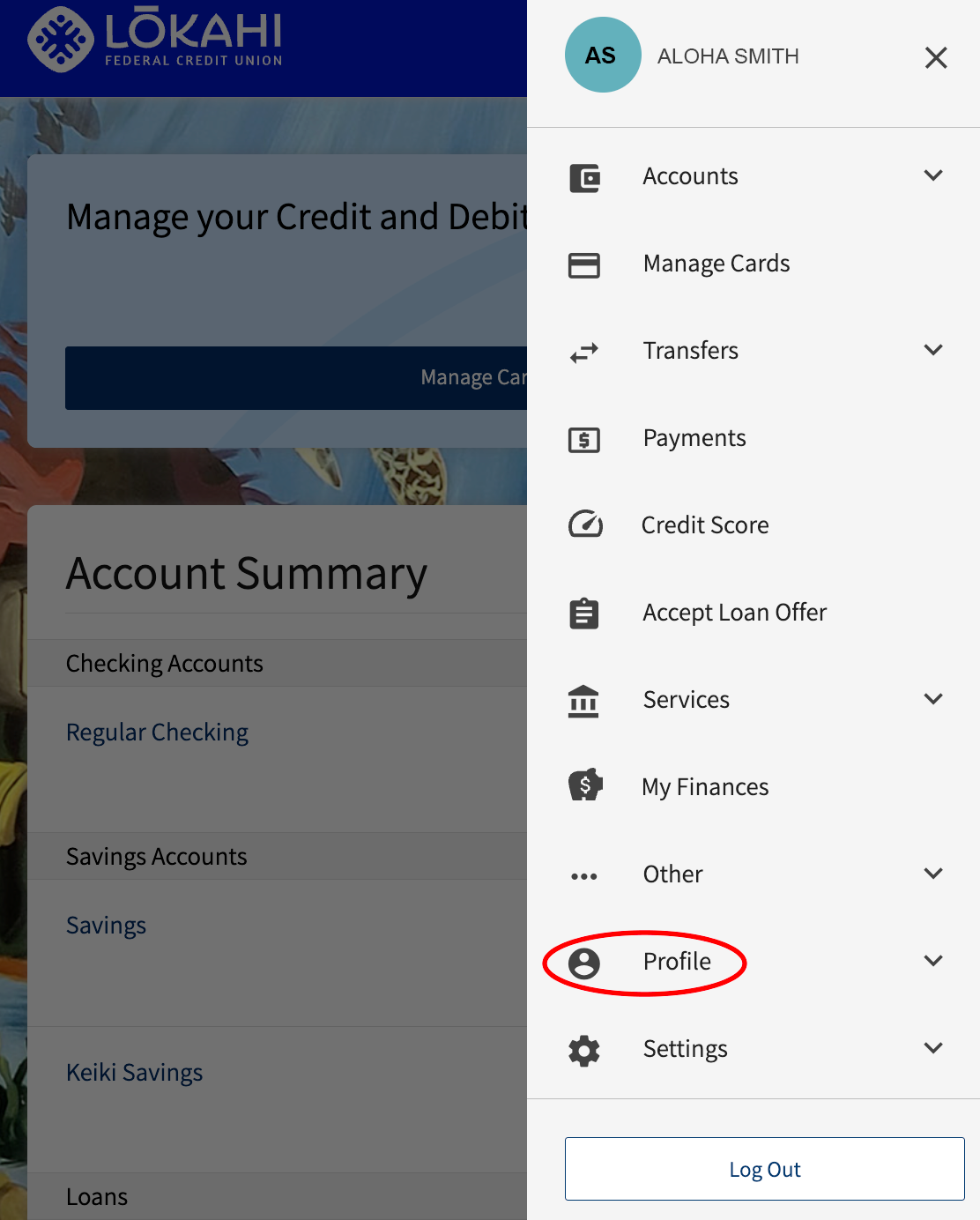
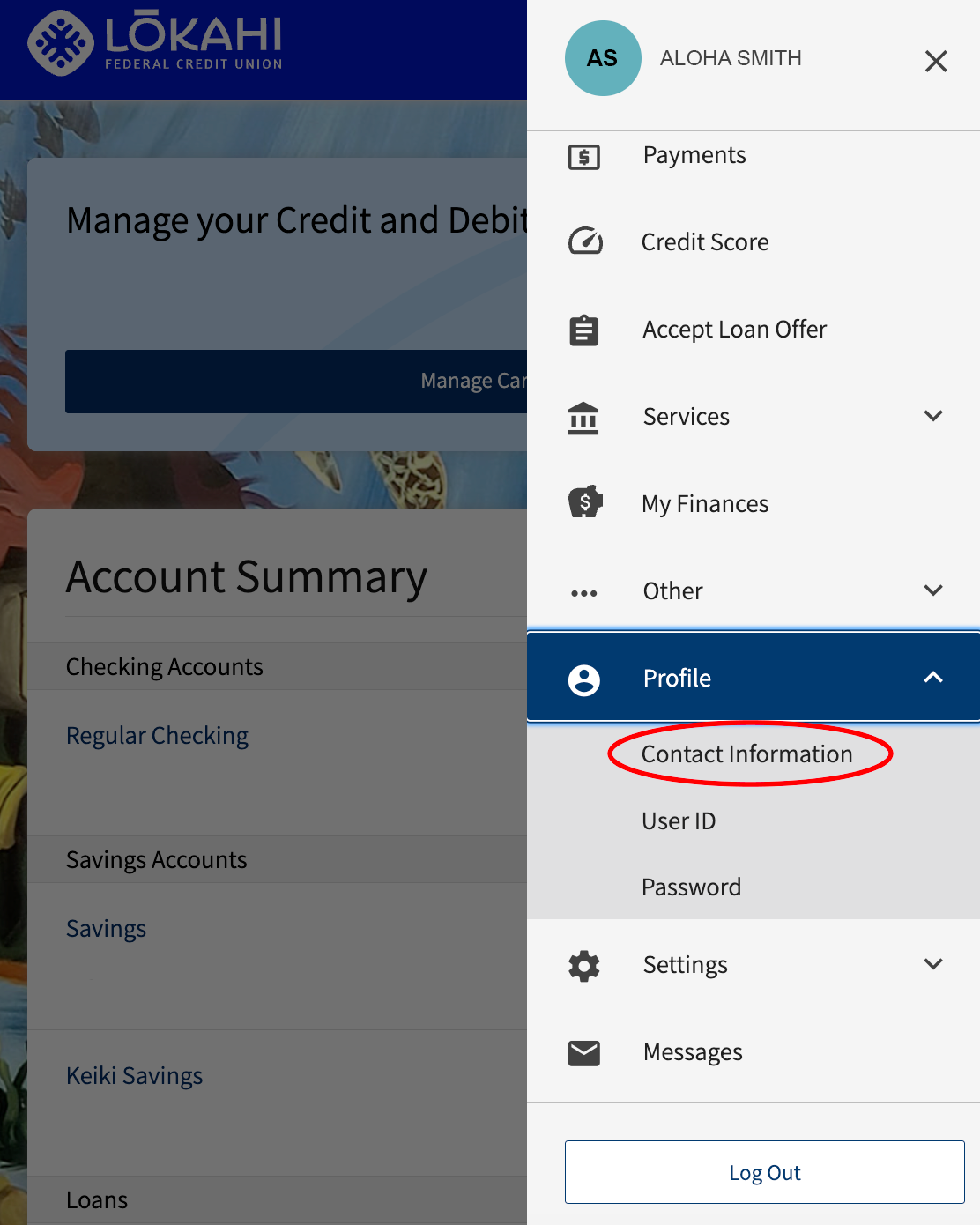
If you do not have online banking or the mobile app:
When relocating to a new address, please be aware that postal forwarding services do not apply to mail from financial institutions. If Lōkahi FCU does not have your current address, your mail will be returned to us.
If you do not have a permanent address upon relocating, please contact us:
Additionally, alert us of your temporary location to prevent your debit or credit cards from being flagged by our fraud monitoring system until you have a permanent address on file. This can be done via online or mobile banking.

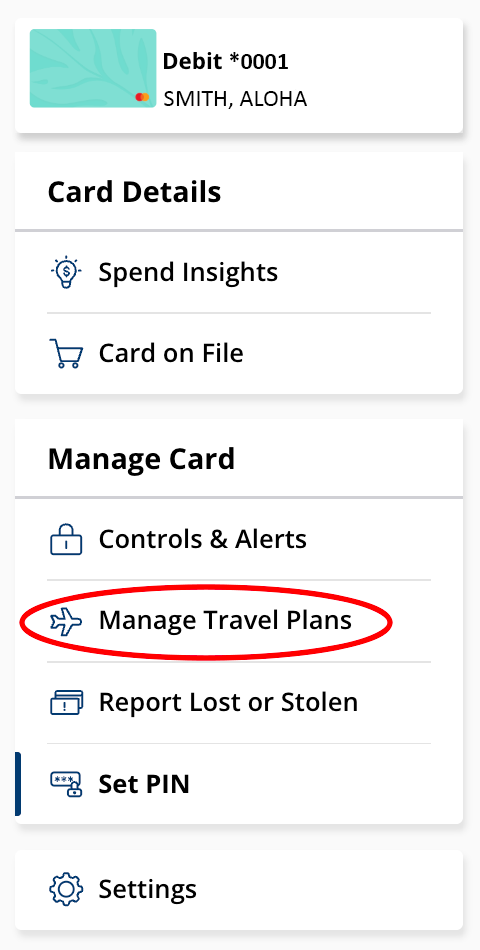
For trips 20 days or less:
For trips lasting over 20 days: Send us a secure message through your Lōkahi FCU online or mobile banking account to let us know your travel dates and destinations.
If you do not have online banking, visit any branch to speak to a representative or give us a call at 808.423.1391 or toll-free at 1.800.432.4328.
To enroll in eStatements:
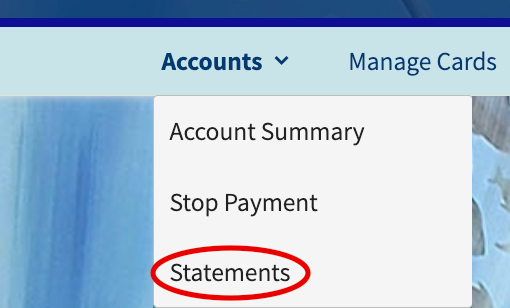
Login to your online or mobile banking account and send us a secure message requesting to revert back to paper statements.
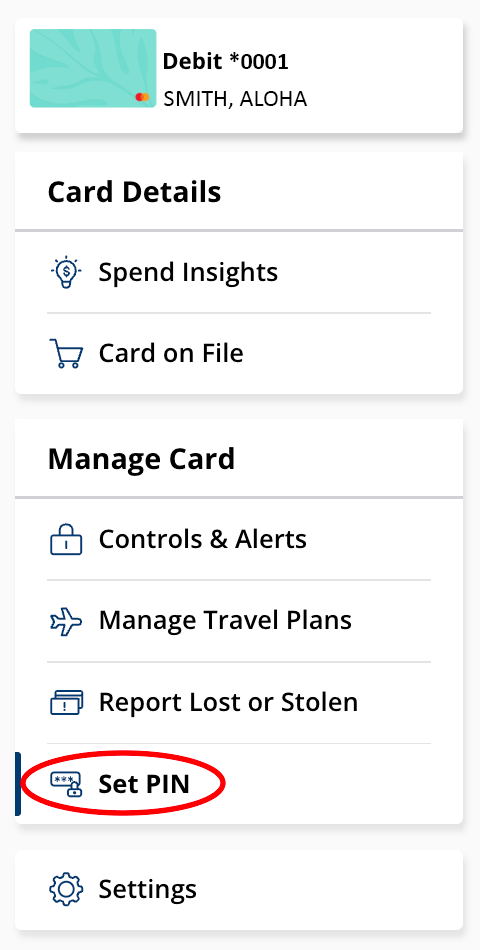
To setup or change the PIN for your Lōkahi FCU ATM/Debit Card you may call 1.888.365.8885.
If you are an online or mobile banking user:

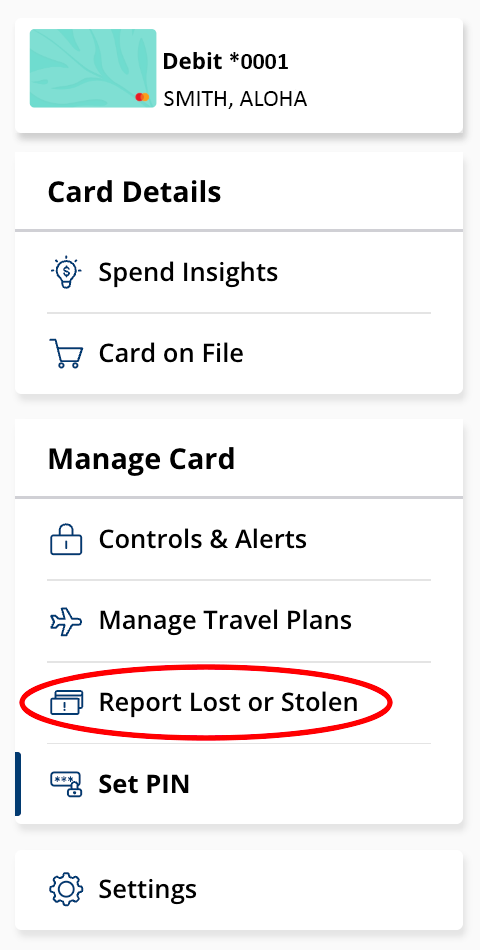
There are several ways for you to report your Lōkahi FCU Debit or Credit Card lost or stolen.
If you are enrolled in online or mobile banking:
If you are not enrolled in online or mobile banking, contact us at 808.423.1391 or toll-free at 800.432.4328.
Please contact us at 808.423.1391 or toll-free at 800.432.4328.
To transfer funds to another Lōkahi FCU memberʻs account:
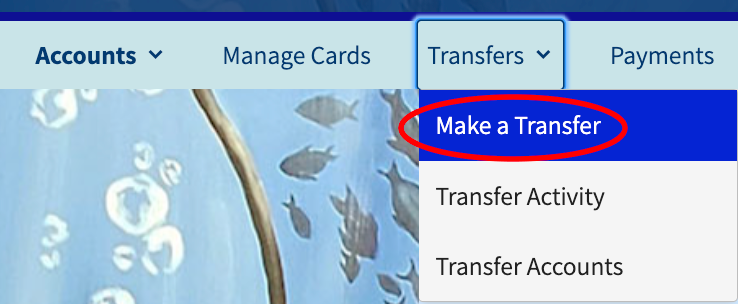
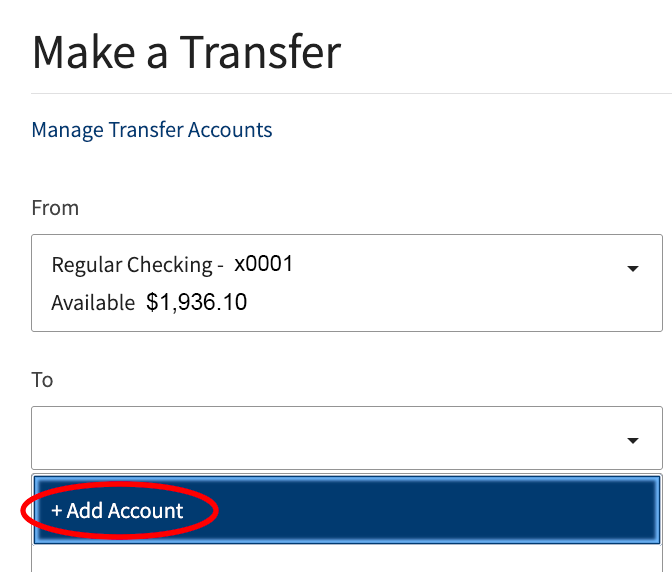
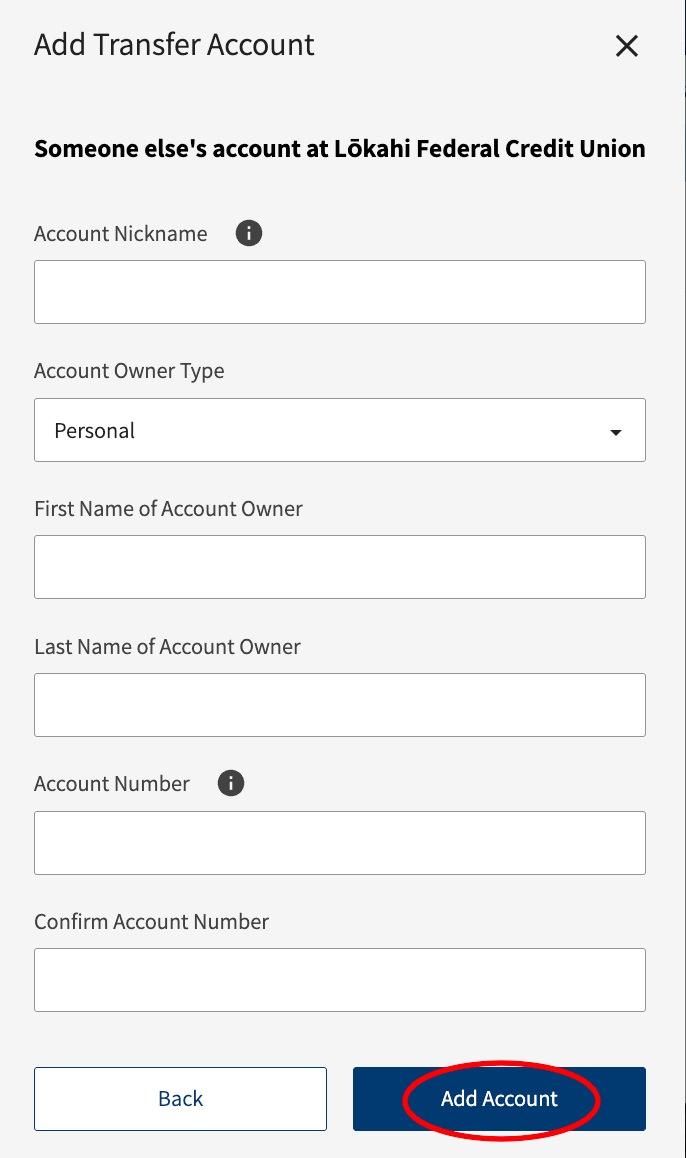
Unfortunately, we currently do not offer this service. We suggest you contact the other financial institution to see if they can process an ACH withdrawal/deposit from/to your Lōkahi FCU account.
Lōkahi Federal Credit Union belongs to the CO-OP Shared Branching Service network of more than 5,000 credit union locations nationwide, throughout Hawaiʻi, and in several countries around the globe including Japan, Guam, Canada, Puerto Rico, the United Kingdom, Netherlands, Germany, Spain, and Italy.
In addition, Lōkahi FCU also belongs to Hawaiʻi Network Shared Branching for Credit Unions with convenient account access at over 70 participating Hawaiʻi credit unions located throughout Hawaiʻi.
Members who use Shared Branch services in another state must pre-load their state-issued ID into the IDCheck application before visiting a participating location. For example, Lōkahi FCU members with a Hawaiʻi-issued ID visiting a credit union in California will need to use IDCheck.
To use IDCheck, visit https://verify.coop.org or scan the QR code located in the branch and follow these steps:
*Some restrictions may apply, based on a location’s cash availability. Availability of funds deposited to your account will depend on your credit union’s policy. Funds may not be immediately available.
Same friendly faces, now in the palm of your hand—download the Lōkahi Mobile App
App Details
Navigate your way through life's surprises by taking advantage of our all-new Skip-A-Pay program
Program Details
Our credit cards feature competitively low interest rates, no annual fee and no balance transfer or cash advance fees.
Credit Card Details
This program provides first time borrowers an opportunity to build their credit.
Program Details
We have three convenient ways to open an account today.
Join Us